How to add a black bar over eyes in a photo or video
The black bar over the eyes is a familiar look — tabloid photos, medical case studies, screenshots people don't want traced back to them. Here's how to add one, and what it does and doesn't actually hide.
How to add a censor bar over the eyes
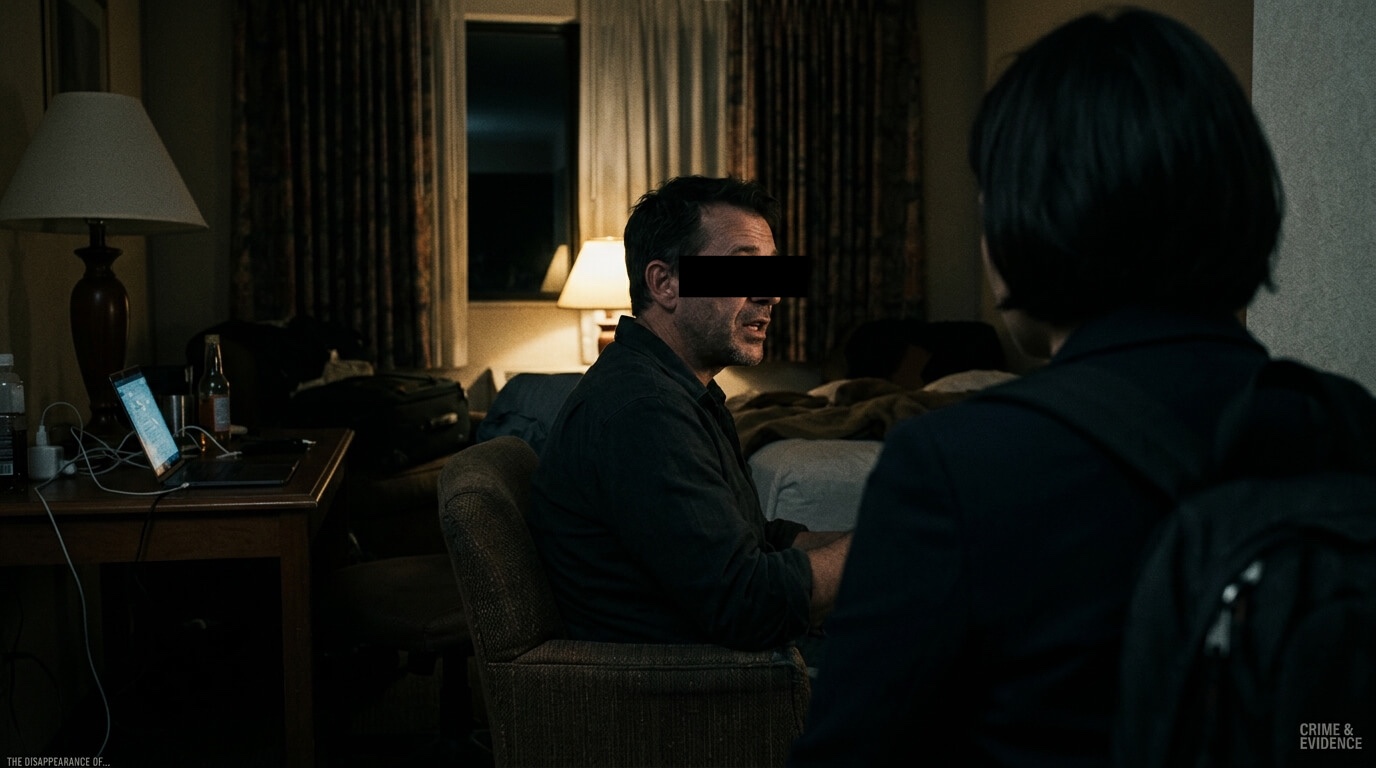
Deface has a dedicated Eye Bar style. Import a photo or video, let it detect faces, then choose Eye Bar to place a narrow black strip over each selected face's eyes. The bar follows the face's position and angle in video.
People call it a bar, a box, a black rectangle, a strip or a line over the eyes. In Deface, choose Eye Bar for the automatic version. A black square over the whole face is a different choice: use the solid style on the detected face.
For a hand-placed bar at a custom position, add a manual region and give it the Eye Bar or solid style. Manual regions stay where you place them across video frames, so check them when the subject moves.
How to do it with Deface
Start with automatic detection, then choose how much of the face to cover.
- Import and detect. Open a photo or video and let Deface find the faces.
- Choose Eye Bar. Select the Eye Bar style for a narrow black strip across the eyes. You can turn individual faces on or off.
- Check the result. Pinch to zoom into a photo; in video, review the bar as the subject moves or turns. Adjust its size if needed.
- For full-face coverage, switch to solid colour, blur or pixelate. The Eye Bar leaves the rest of the face visible.
- Export. Review the finished file before sharing it. Photo exports omit source EXIF and GPS; video has a separate Remove metadata control.
A bar over just the eyes covers less than it looks like it does. It's a strong visual convention — most people read it instantly as 'this person is being kept anonymous' — but it leaves the nose, mouth, jaw, hairline and ears fully visible, and those are often enough to identify someone who's already known to the viewer, even with the eyes hidden. It reads as redaction, but it isn't full redaction. If the priority is genuinely hiding who someone is rather than following the convention, cover the whole face with solid colour, blur or pixelate instead.
Getting the proportions right
A bar that's too narrow leaves an eyebrow or the corner of an eye visible. Too wide, and it starts covering the nose or forehead. Deface's Eye Bar size control lets you check that balance on a detected face. For a custom hand-placed bar, use a manual region with the solid colour style.
The same sizing question applies across a group photo — different people's faces are different sizes in the same shot, particularly if some are closer to the camera than others, so a bar sized for one face rarely fits another without adjustment.
Redaction convention, or just the look
The eye bar has two separate origins that have blurred together. In medical and clinical photography it's a real anonymisation convention, used on case-study images where showing the rest of the face is considered acceptable but the eyes specifically are withheld. In tabloids and mugshot-style images it became a visual shorthand for 'this person shouldn't be identified', whether or not it was doing much actual identity protection.
Today it gets used for both reasons at once — sometimes because someone wants a lighter cover than a full blur, and sometimes for the look. Deface's Eye Bar gives you that narrow strip; the solid colour style covers the whole face when you need more coverage.
Frequently asked questions
Is there an app that adds a black bar over eyes automatically?
Yes. Deface detects faces automatically, and its Eye Bar style places a narrow bar over the detected eyes. You can also draw a manual region when you want a bar at a custom position.
What does it mean when someone's eyes are covered by a black bar?
It means the image was published with the person's identity deliberately withheld. The convention has two roots that have since merged: medical and clinical photography, where case-study images are anonymised but the rest of the face is considered acceptable to show, and tabloid and mugshot imagery, where it became visual shorthand for someone who should not be identified. Today it is often used purely because it reads that way, rather than because it hides very much.
What are redacted eyes?
The same thing — a solid bar, usually black, drawn across the eyes so the person cannot be identified at a glance. 'Redacted' borrows the term from blacked-out text in documents. It hides the eyes, but the nose, mouth, jaw and hairline stay visible, so it is a weaker cover than the word suggests.
Does a bar over the eyes actually hide someone's identity?
Partially. It hides the eyes, which carry a lot of expression and are often the first thing people focus on, but the nose, mouth, jaw and hairline remain visible and can be enough for someone who already knows the person to recognise them. For stronger anonymity, cover the whole face.
Can I add a censor bar to a video, not just a photo?
Yes. Position the manual region once and it persists across the video's frames. Check it periodically through the clip and reposition if the subject moves enough that the bar drifts off the eyes.
Does the censor bar have to be black?
The Eye Bar style uses a black bar. For a different colour, place a manual region over the eyes and choose the solid colour style.
What's the difference between a censor bar and just blurring the whole face?
A bar covers a smaller, specific strip — usually the eyes — and leaves the rest of the face visible, which reads as a deliberate partial redaction. A full-face blur, pixelate, or solid cover hides considerably more and gives no partial view of the person underneath.
Does adding a censor bar remove the photo's metadata too?
Not by itself — the bar only changes pixels. Deface re-renders photo exports without source EXIF or GPS. Video has a separate Remove metadata control.
Size a censor bar exactly where you want it.
Detect a face, choose Eye Bar and check the result before sharing.